light-rail
Blue Line

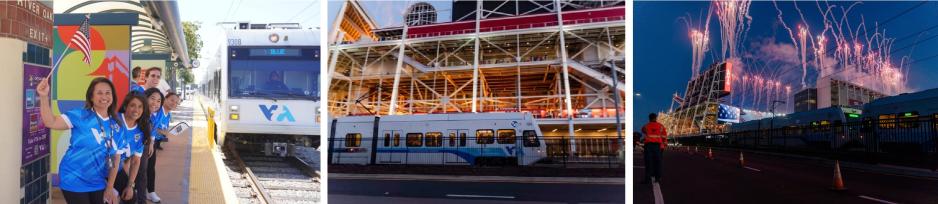
Getting to your event is easy. Review these four steps before you travel.
Upcoming EventsFind event dates and special VTA service information. |
Trip PlanningFind where to board, review return service, and plan connections to Levi's Stadium. Park & Ride locations |
Fares & PaymentReview fare options and prepare Clipper, mobile wallet, or cash payment before boarding. |
Select an address below to open directions. The timepoint column identifies the schedule timepoint riders should use when estimating departure times.
| Station | Location | Line From | Timepoint |
|---|---|---|---|
| Alder Light Rail Station | 654 Tasman Dr. Milpitas, CA | Alum Rock (Orange) | Milpitas |
| Alum Rock Light Rail Station | 305 S. Capitol Ave San Jose, CA | Alum Rock (Orange) | Alum Rock |
| Bascom Light Rail Station | 2051 Southwest Exp. San Jose, CA | Winchester (Green) | Bascom |
| Blossom Hill Light Rail Station | 605 Blossom Hill Rd San Jose, CA | Santa Teresa (Blue) | Santa Teresa |
| Branham Light Rail Station | 751 Branham Ln. San Jose, CA | Santa Teresa (Blue) | Ohlone Chynoweth |
| Capitol Light Rail Station | 600 W. Capitol Exp. San Jose, CA | Santa Teresa (Blue) | Capitol |
| Cottle Light Rail Station | 5900 Cottle Rd. San Jose, CA | Santa Teresa (Blue) | Santa Teresa |
| Curtner Light Rail Station | 602 Curtner Ave San Jose, CA | Santa Teresa (Blue) | Capitol |
| Great Mall Light Rail Station | 1231 Great Mall Pkwy Milpitas, CA | Alum Rock (Orange) | Milpitas |
| Hostetter Light Rail Station | 1531 N. Capitol Ave San Jose, CA | Alum Rock (Orange) | Hostetter |
| Milpitas Light Rail Station | Montague Expressway @ Capitol Ave | Alum Rock (Orange) | Milpitas |
| Moffett Park Light Rail Station | 813 11th Ave Sunnyvale, CA | Mountain View (Orange) | Middlefield |
| Ohlone/Chynoweth Light Rail Station | Chynoweth Avenue @ Pearl Avenue | Santa Teresa (Blue) | Ohlone Chynoweth |
| Penitencia Creek Light Rail Station | 842 N. Capitol Ave San Jose, CA | Alum Rock (Orange) | Alum Rock |
| River Oaks Light Rail Station | 3331 N. 1st Street San Jose, CA | Santa Teresa (Blue) Or Winchester (Green) | Metro |
| Santa Teresa Light Rail Station | 6414 Santa Teresa Blvd San Jose, CA | Santa Teresa (Blue) | Santa Teresa |
| Snell Light Rail Station | 5693 Snell Ave San Jose, CA | Santa Teresa (Blue) | Snell |
| Tamien Light Rail Station | 1220 Lelong Ave San Jose, CA | Santa Teresa (Blue) | Tamien |
| Whisman Light Rail Station | 4000 Pacific Dr Mountain View, CA | Mountain View (Orange) | Mtn. View |
| Winchester Light Rail Station | 2420 Winchester Blvd Campbell, CA | Winchester (Green) | Winchester |
Additional bus and Light Rail return service will operate for up to one hour after the event. Head directly to your designated return boarding location after leaving the stadium.
Light Rail riders should enter the queue lines on the Gate A side of Levi's Stadium, facing Tasman Drive.
You can add a Clipper card to Apple Wallet or Google Wallet before traveling.
Watch the Apple Wallet setup video on YouTube (opens in a new window)
| Fare Type | Adult 19–64 | Senior/Disabled | Youth 5–18 |
|---|---|---|---|
| Single Ride | $2.50 | $1.00 | $1.25 |
| 8-Hour Light Rail Pass | $5.00 | $2.00 | $2.50 |
Download the Clipper mobile payment app and load cash value onto a virtual Clipper card. Each rider must have their own Clipper card.
Get a Clipper card from any Clipper card retail location (opens in a new window) , including VTA's Downtown Customer Service Center (Clipper for youth and seniors).

VTA's Orange Line connects with Caltrain at Mountain View Station and with BART at Milpitas Station, providing convenient service to Levi's Stadium.
View Caltrain's Levi's Stadium information
Caltrain offers a joint adult Caltrain + VTA Day Pass in addition to its regular Day Pass.
The Caltrain portion is valid through Zone 3, making it suitable for customers traveling to Levi's Stadium. The joint pass costs an additional $7.50 compared with a regular Caltrain Day Pass.
The pass is valid on Caltrain through the last train of the night and on VTA local buses and Light Rail until 3 a.m.
After the event, head directly to your designated return boarding location to help ensure you make your connecting BART or Caltrain service.
VTA recommends the Transit app for trip planning, real-time arrival information, and service alerts.
For a customized trip plan or help before your trip, email customer.service@vta.org or call (408) 321-2300.
VTA ambassadors will be stationed at key locations, including Mountain View Caltrain Station and Milpitas BART Station, to direct riders to boarding locations and provide travel information.
Planning to take an ACE event train to Levi's Stadium? Visit the ACE Rail event train page for details.
Review the Levi's Stadium Bag Policy before traveling to learn what may and may not be brought into the stadium.
Levi's Stadium does not offer bag check.
Customers can ride VTA to Levi's Stadium for all events, including events without additional special service.
Review the calendar below to see which events are expected to receive special service. Detailed schedules for events with additional service will generally be posted at least five days before the event.
| Event | Date | Start Time | Special Service |
|---|---|---|---|
| Bruno Mars | October 10, 2026 | 7:00 p.m. | Yes |
| Bruno Mars | October 11, 2026 | 7:00 p.m. | Yes |
| 49ers Vs. Washington | October 19, 2026 | 5:15 p.m. | Yes |
| 49ers Vs. Raiders | November 08, 2026 | 1:08 p.m. | Yes |
| 49ers Vs. Seattle | November 29, 2026 | 1:25 p.m. | Yes |
| 49ers Vs. Los Angeles | December 13, 2026 | 1:25 p.m. | Yes |
| 49ers Vs. Philadelphia | January 03,2027 | 5:20 p.m | Yes |